
As a small freight forwarder, you have three realistic options for the software that runs your business. You can keep using spreadsheets and accounting but tighten your process. You can move to a small, all-in-one cloud system. Or, you can add an AI layer that takes repetitive email work off your people. The right freight forwarding software for small business is not the biggest system you can afford. It is the one that removes the most repetitive work from the two or three people carrying your business. This guide will help you decide where to start. For a full overview, see the freight forwarding software guide.
What a small forwarder actually needs
Most software is built for large companies with IT teams. Your needs are different. You are likely running on Excel, email, WhatsApp, and an accounting package like Tally. You need a system that solves your specific problems without creating a new, full-time job to manage it.
Fast and accurate quotes
You need to get quotes out to customers quickly, based on your own negotiated rates with carriers, airlines, and agents. This means having your buy rates, sell rates, surcharges, and validity dates in one place, not scattered across hundreds of emails and spreadsheets.
A single record for every job
Every shipment needs one central record. This job file should hold all the key details: shipper, consignee, route, cargo details, and references. When information is typed once and reused everywhere, you reduce errors and save hours of re-keying data from a quote into a booking, then into shipping instructions, and finally onto an invoice.
Documents and invoices from the job record
Your system should generate key documents—like house bills of lading, arrival notices, and delivery orders—directly from the job record. The same goes for invoices. When your invoice is created from the same data used for operations, it is more likely to be accurate, which means you get paid faster.
Accounts that match operations
Your accounting, whether in Tally or another package, must match your operational reality. This means the revenue and costs recorded in your accounts should tie back to a specific job. You need to see the real profitability of each shipment without a complex manual reconciliation at the end of the month.
Answers for your customers
Customers want to know where their cargo is. Answering tracking questions shouldn't require a person to stop their work, log into multiple carrier websites, and then type an email. The right tools can help you provide these updates automatically or semi-automatically, freeing up your team for more complex work.
Option 1: Spreadsheets and accounting, tightened
This is the default for many small forwarders. It is the cheapest option in terms of direct software costs but often the most expensive in terms of your people's time and the risk of errors.
The cost in money vs. time
You already have spreadsheets and an accounting package. The only cost is the time it takes to create and maintain a more disciplined system: standard quote templates, a central job register, and a clear folder structure for documents. This approach, however, relies entirely on manual data entry and human discipline.
Where it works
This system works when your shipment volume is low and one or two experienced people know every job, customer, and rate. As long as that person is available, the business can function. Many successful businesses start this way, especially those focused on forwarders running on Excel and Tally.
Where it breaks
The spreadsheet model breaks when your key person is sick or on vacation. It breaks when shipment volume grows and manual data entry can't keep up. It breaks when two people on your team quote the same customer differently because they used different rate sheets. The risk of errors and inconsistencies grows with every new shipment, making moving off spreadsheets a necessary step for growth.
Option 2: A small all-in-one cloud forwarding system
A small, all-in-one cloud system is a dedicated freight software for small business. It acts as a central system of record for your jobs, documents, and financials, designed specifically for the workflows of a freight forwarder.
What a cloud system provides
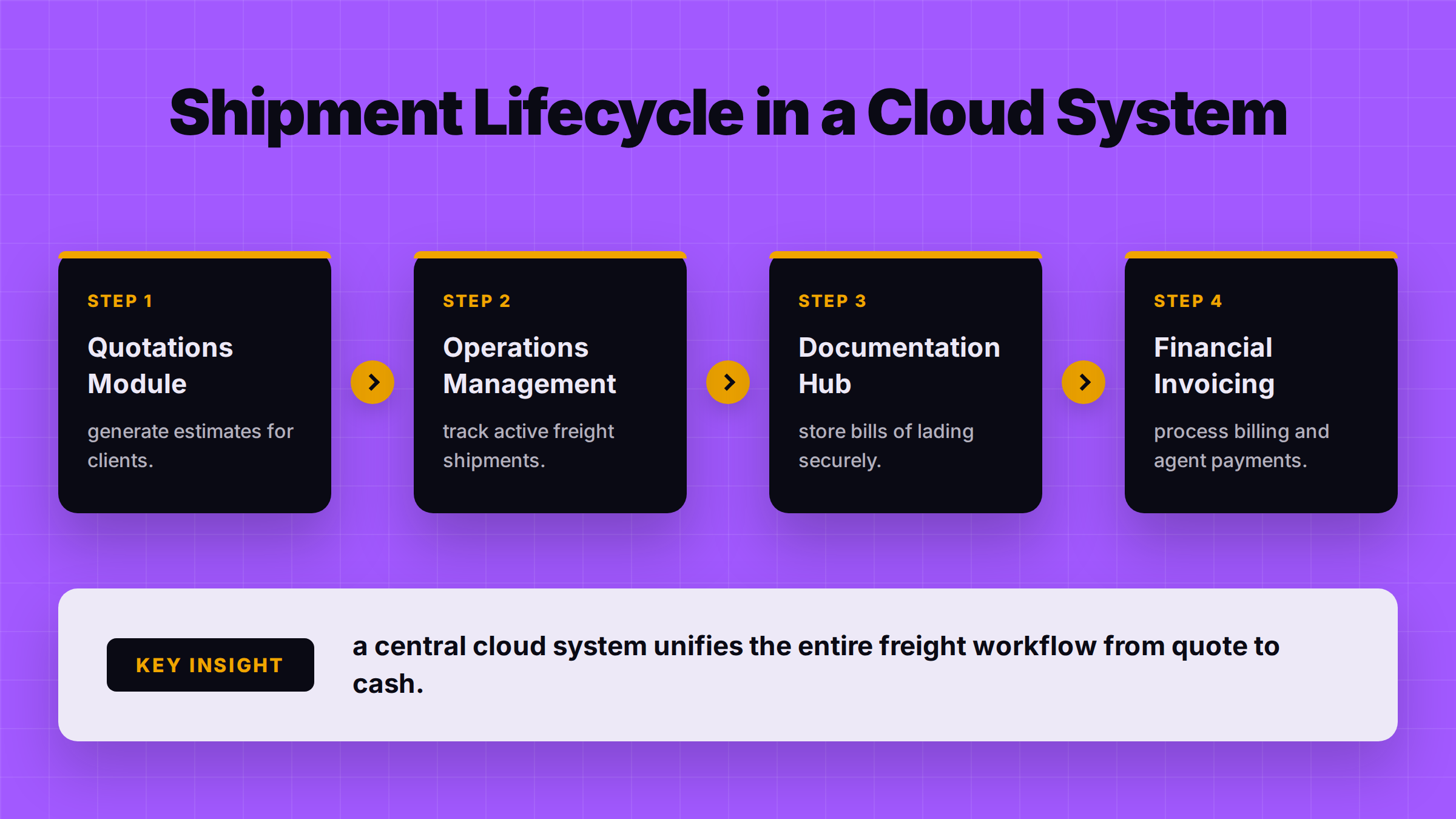
This type of cloud freight forwarding software for small business gives you a single platform to manage the entire lifecycle of a shipment. It typically includes modules for quotations, operations, documentation, and invoicing. Because it is in the cloud, there are no servers to manage, and your team can access it from anywhere. Some vendors publish their per-user pricing online, which helps you compare options without going through a lengthy sales process. For a comparison, you can review a dated shortlist of freight forwarding systems.
The trade-offs: migration and training
Moving to a new system is a project. You will need to migrate your existing data—customers, suppliers, and open shipments. This can be complex if your data is messy. Your team will also need training to learn the new system and adapt their old habits. This takes time and effort away from their daily tasks.
Your team still lives in email
Even with a great system, a huge part of your work still happens in email. Your team will still be reading booking confirmations from carriers, getting shipping instructions from clients, and receiving invoices from agents via email. They will then have to manually enter that information into the new system. The software provides a better place to put the data, but it doesn't eliminate the typing.
Option 3: An AI layer on the work you already do
A third option is emerging: adding an AI layer that works with your existing systems. This approach focuses on automating the most repetitive, email-based tasks that consume your team's day.
How an AI layer works
This type of software reads the emails and documents that come into your company. It can understand a rate request, pull the details, and draft a quote from your rate sheets. It can read a booking confirmation and update the job record. It can answer a customer's tracking query by checking the latest milestone. Crucially, a person on your team always approves the action before anything is sent to a customer. This is a key area of AI in freight forwarding.
Keeping your existing records
An AI layer doesn't force you to abandon your current systems. It can work alongside your spreadsheets, your accounting package, or even a TMS you already have. It runs the work around your records, reducing manual data entry without requiring a massive migration project. This is a practical approach to freight AI implementation for small forwarders.
The trade-off: it is not a system of record
The main trade-off is that an AI layer is not, by itself, a system of record. If you don't have a central place to store your job files, it can't create one for you. Its strength is in automating the flow of information into and out of the systems you already have. If your records are a complete mess, you may need to solve that problem first.
What it costs
Some products publish a per-user price, but the total cost depends on your specific needs. Instead of looking for a price list, you should understand the factors that drive the cost.
The main cost drivers
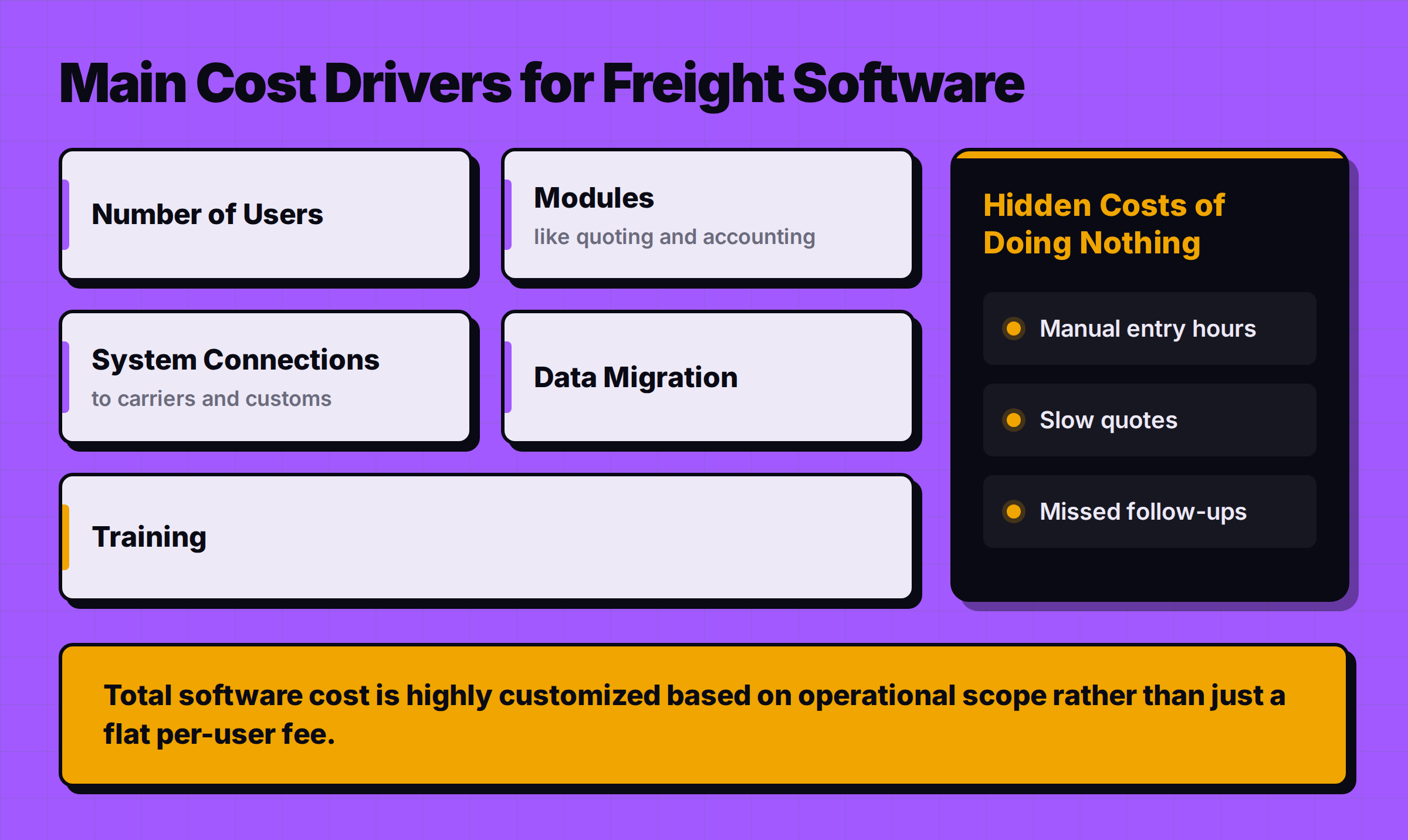
The final price of any freight management software for small business is determined by several factors:
- Number of users: How many people on your team need access?
- Modules: Do you just need quoting, or also operations, documentation, and accounting?
- Connections: Do you need to connect to carrier portals, customs systems, or your accounting software like Tally?
- Data migration: How much help will you need to move your existing data?
- Training and support: How much assistance will your team need to get started?
The best approach is to ask for a scoped quote tied to your most critical workflow. You can get pricing for your setup based on these specific needs.
The hidden cost of doing nothing
When comparing costs, remember to factor in the hidden cost of staying on spreadsheets. This includes the hours your team spends on manual data entry, the time your owner spends fixing errors, the revenue lost from slow quotes, and the risk of missed follow-ups. These costs are real, even if they don't show up on an invoice.
Is there free freight forwarding software?
Rarely, in a way that can run your whole business reliably. While you can find tools advertised as freight forwarding software free, it is important to understand what you are getting.
What "free" usually means
Spreadsheets, email, and general chat assistants are free or very cheap. Many software providers also offer free trials. These tools can be useful, but a trial is not a permanent solution, and basic tools come with significant limitations. For example, a generic spreadsheet doesn't understand the difference between a house bill of lading and a master bill of lading.
Why free rarely covers the whole job
A complete forwarding operation requires managing your specific rates, generating your specific documents, and connecting to your specific accounting system. Free tools rarely provide this level of customization or support. Country rules add more: tax invoicing and e-invoicing requirements in India, the UAE and elsewhere are unlikely to be handled by a generic free tool. Judge any tool, free or paid, by testing it against one real week of your work.
How to decide where to start
Choosing the right path forward depends on where your biggest pain point is today. The goal is to make the smallest change that delivers the biggest improvement to your daily work.

If you have no single job record
If your operations, sales, and finance teams are all working from different versions of the truth, your first priority is to create a single system of record. You cannot automate chaos. In this case, a small, all-in-one cloud forwarding system (Option 2) is likely your best starting point. It will force the discipline of creating one job file for every shipment.
If your records are good but people live in email
If you have a reliable system of record (even if it's a well-managed set of spreadsheets and Tally), but your team spends all day copying and pasting information from emails, then an AI layer (Option 3) is a strong candidate. This is the classic problem an AI layer is designed to solve. It automates the busywork, allowing your team to focus on serving customers and managing exceptions.
If one specific workflow is painful
Perhaps your biggest problem isn't everything, but one specific thing—like generating quotes or answering tracking questions. If so, start there. Look for a tool that solves that one problem exceptionally well. This could be a simple quoting tool or an automation layer focused only on tracking updates. Solving one major bottleneck can have a huge impact on your business and is a practical first step in choosing freight forwarding software for small business.
Whatever your starting point, take one real week of your work to every demo. Show vendors your actual emails, documents, and problems. The best partner will be the one who understands your real workflow.
Where FreighAI fits
FreighAI is designed as an AI-first operations platform that runs the daily work of a forwarding company. It fits as a workflow layer around the systems you already use, whether that's spreadsheets, Tally, or an existing TMS.
An operations layer around your records
The core principle of FreighAI is that every email your company receives is read, understood, and turned into a task for the right person, with the answer already drafted. Your team's job becomes one of approval. They review the drafted reply or the proposed action and approve it before anything is sent. This keeps your people in control while removing the manual work of reading, sorting, and typing. You can see how FreighAI works in more detail and learn how it helps you keep your records where they are, running the work around them.
How it works with Tally
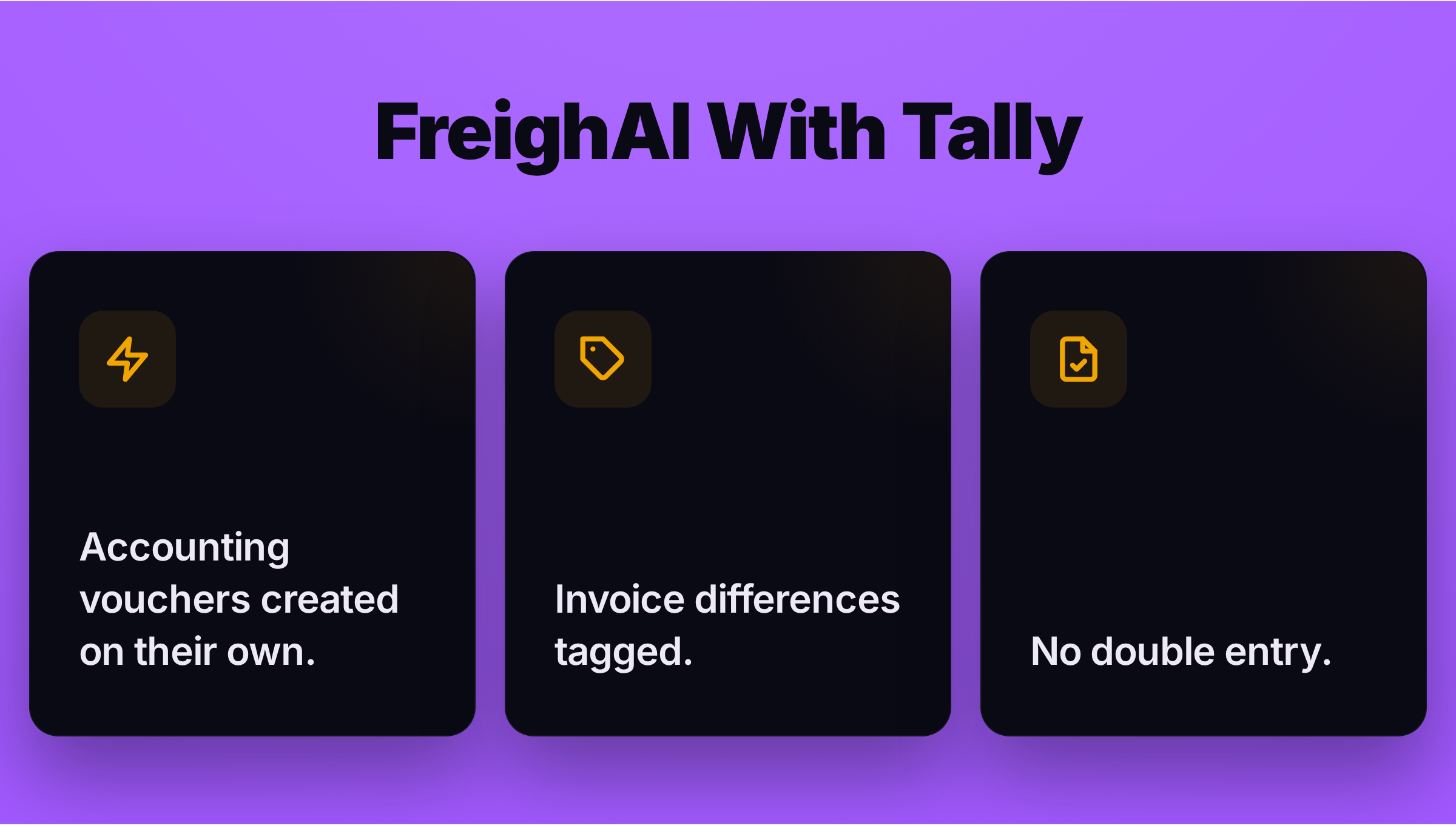
For forwarders in India running on Tally, FreighAI has a production-tested connection: accounting vouchers are created on their own, invoice differences are tagged, and there is no double entry between operations and accounts. It is built for forwarders who do not have an in-house platform team. Pricing is always scoped to your specific operation; you can get pricing for your setup.